Brawl Stars Unblocked: How to Play at School or Work in 2026
You can’t access Brawl Stars on a school or work network because firewalls block multiplayer games to reduce distractions. But you’ve got real options. Use a VPN to mask your connection, switch to mobile data, play through a cloud gaming platform in your browser, or run the game on an Android emulator like BlueStacks. Each method works differently depending on your device and situation, and the right choice makes all the difference.
Key Takeaways
- Cloud gaming platforms like Easyfun.gg let you play Brawl Stars directly in a browser without downloads, bypassing school or work restrictions.
- Using a VPN such as NordVPN masks your IP address and encrypts traffic, enabling access on restricted networks.
- Android emulators like BlueStacks or LDPlayer allow Brawl Stars to run on PC without relying on network filters.
- Mobile data serves as a simple alternative to school or work Wi-Fi, avoiding network-level blocks entirely.
- On Chromebooks, enabling Google Play Store or using browser-based emulators provides access without violating device restrictions.
Why Brawl Stars Gets Blocked at School and Work
If you’ve ever tried loading Brawl Stars at school or work, you’ve likely hit a wall and that’s no accident. Schools and employers actively block gaming sites to keep you focused on what matters learning or working. Firewalls and network filters flag multiplayer games like Brawl Stars as distractions, automatically cutting off access the moment you connect to their networks.
Schools enforce these restrictions to prevent disruptions during class time, while workplaces use IT controls to limit non-work internet usage and maintain a professional environment. Beyond productivity concerns, institutions also block games to reduce risks tied to addictive multiplayer features and enforce healthy screen time limits.
Network-level restrictions don’t stop there. Public Wi-Fi filters gaming traffic using IP-based blocks, and managed devices often prevent you from installing games altogether. Even game-related verifications get cut off, making it nearly impossible to play through these controlled connections. Some kids have discovered that deleting and redownloading apps like Brawl Stars can reset imposed time limits, prompting stricter network-level controls to close these loopholes entirely.
What Does Brawl Stars Unblocked Actually Mean?
Brawl Stars unblocked refers to any way of playing Supercell’s hit multiplayer shooter on a network that normally blocks it. When players search for how to unblock Brawl Stars at school or work, they usually mean one of two things: streaming the real game through a browser, or loading an HTML5 version hosted on an unblocked games site that the network filter hasn’t flagged yet.
The difference matters more than most players realize. Cloud platforms stream the official game from remote servers, so you get real online matches against live opponents, and your trophies and progression stay tied to your account. Browser clones and simulators are fan-made recreations that offer quick action without an account, which makes them safer for anonymous play but limited in features.
Neither approach requires modifying the game itself. You’re simply changing how your device reaches Supercell’s servers, whether that’s through a VPN, mobile data, a cloud gaming platform, or an emulator, which is why these methods keep working even as network filters get stricter.
Play Brawl Stars Unblocked Directly in Your Browser
Network blocks don’t have to be your dead end. Browser-based cloud gaming platforms let you play Brawl Stars instantly without downloading anything. Easyfun.gg, CloudMoon, Geometrylitepc.io, Yandex Games, and Playhop all stream the game directly to your browser, bypassing school or work restrictions entirely.
These platforms render graphics on remote GPU servers and stream the output to your screen in real time. You’re not running the game locally, so firewalls targeting app installations won’t catch you. Easyfun.gg gives you six free daily hours through Google Sign-In, no credit card needed. CloudMoon delivers a low-latency experience on both PC and mobile.
Controls on Easyfun.gg are straightforward: W/A/S/D moves your brawler, Spacebar fires, Q activates your super, and R triggers gadgets. You can jump into Gem Grab, Showdown, Brawl Ball, or Heist within seconds, no installation required. Each brawler brings a distinct playstyle to these modes, with unique abilities shaping how you approach every match.
Use a VPN to Play Brawl Stars on Blocked Networks

When your school or workplace network blocks Brawl Stars, a VPN gives you a straightforward workaround. It masks your IP address, encrypts your traffic, and routes your connection through an alternative server, making your gameplay invisible to network filters and firewalls.
A VPN masks your IP, encrypts your traffic, and bypasses network filters blocking Brawl Stars at school or work.
Using a VPN also keeps you compliant since Brawl Stars’ Terms of Service don’t restrict VPN usage, so you’re not breaking any game rules.
Here’s how to get started:
- Download and install a VPN app from its official website or your device’s app store, whether you’re on PC or mobile.
- Select a server geographically close to you for lower ping, or choose a less competitive region like Asia Pacific for easier matchmaking.
- Verify your IP address has changed, then launch Brawl Stars once your encrypted connection is stable.
If your school’s Wi-Fi remains blocked, switching to mobile data works as a quick alternative. NordVPN is widely recommended for this, offering 9000 servers across 130 countries to ensure a fast and reliable connection wherever you are.
Stream Brawl Stars Unblocked Through Cloud Gaming
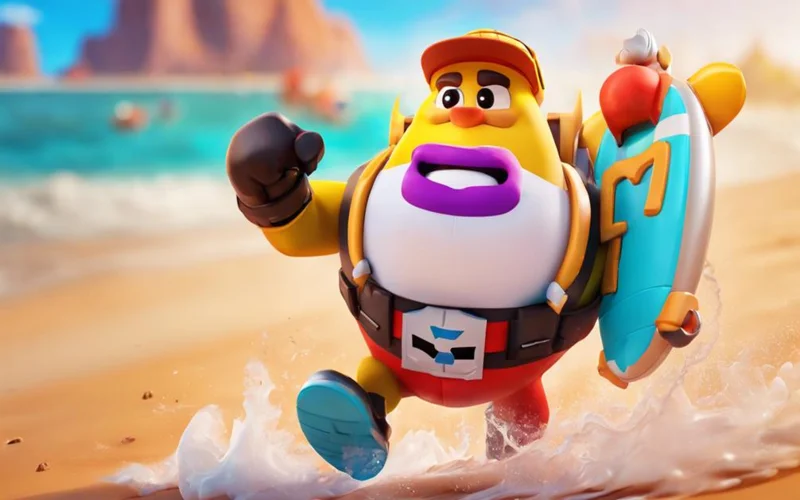
Cloud gaming lets you stream Brawl Stars directly in your browser without downloading or installing anything on your device, making it a reliable way to bypass school or network restrictions. Platforms like Now.gg, BlueStacks X, CloudMoon, Easyfun.gg, and GeForce Now all support Brawl Stars by running the game on remote servers and streaming it to you in real time. To get started, you simply choose a platform, create a free account if required, and launch the game through your browser within minutes. Since matches are designed for quick play, most rounds last under three minutes, making cloud gaming sessions easy to fit into a short break.
What Is Cloud Gaming
Streaming technology has transformed how you access games, and cloud gaming sits at the heart of that shift. Instead of downloading or installing anything, remote servers handle all the rendering and processing, then stream the game directly to your device. You just send inputs back, and the server responds in real time.
Here’s what makes it work:
- No local hardware demands powerful server-side hardware handles everything, so your device stays unaffected.
- Universal compatibility it runs on browsers, Android, and iOS without requiring native apps.
- Instant access you skip downloads entirely, jumping straight into gameplay from any connected device.
This setup makes cloud gaming ideal for restricted environments like schools or workplaces where installations and downloads aren’t an option. Brawlhalla, for example, is available across PlayStation, Xbox, Nintendo Switch, iOS, Android, and Steam, making it one of the more accessible titles to stream through cloud gaming platforms.
Top Cloud Gaming Platforms
Several platforms put that cloud gaming model to work specifically for Brawl Stars, letting you jump in from a browser without touching your device’s storage or settings.
| Platform | Free Option | Best For |
|---|---|---|
| Now.gg | Yes | School networks |
| Easyfun.gg | 6 hrs/day | Custom key mapping |
| CloudMoon | Limited | Low-spec devices |
Now.gg leads as the most school-friendly option, requiring only a single click. Easyfun.gg adds structure with mapped controls like W/A/S/D and Spacebar, making mobile gameplay feel natural on a keyboard. CloudMoon renders graphics on global GPU servers, so even a Chromebook handles it smoothly. BlueStacks X and Funpg.net round out your choices if you need cloud execution that bypasses local network filters without any installation.
Setup And Access Steps
Getting into Brawl Stars through cloud gaming takes only a few minutes once you know where to go. Open any browser on your school or work device, navigate to a platform like Now.gg, BlueStacks X, or EasyFun.gg, and search for Brawl Stars in the library.
- Launch instantly: Click play or stream; no downloads, installations, or account linking required to start.
- Set up your controls: Use keyboard mapping or on-screen inputs. EasyFun.gg uses W/A/S/D for movement, Spacebar to shoot, Q for super, and R for gadgets.
- Optimize your connection: Combine with tools like ExitLag to reduce ping, and use incognito mode on shared devices to avoid session timeouts.
Expect minor lag during peak server hours.
Game Modes and Brawlers You Can Play Unblocked
Because cloud platforms and emulators run the full game, every game mode stays available when you play unblocked. Gem Grab has your team of three collecting gems from the center of the map and holding them until the countdown ends. Showdown drops ten players into a shrinking survival arena, solo or with a friend, where power-ups from boxes boost your health and damage. Brawl Ball plays like soccer with weapons, rewarding teamwork and smart positioning as you fight to score two goals before your opponents do. Heist, Knockout, and Hot Zone round out the rotation with their own maps and objectives.
Each of the game’s brawlers is a distinct character with its own health pool, main attack, and super ability, plus unlockable star powers and gadgets that reshape how you fight. You unlock new brawlers through the Trophy Road and Starr Drops, then use coins and power points to raise their levels, with skins available for players who want a custom look. Progression carries over on cloud platforms, so trophies you earn during a lunch break count toward your account. If you want to speed things up without spending money, our guide to earning free gems legitimately covers every method Supercell actually allows.
Browser-based clones are the exception here. Most limit you to simple challenges or single-brawler action rather than full 3v3 matches, so treat them as a quick fix rather than a replacement for the real competitive experience.
Run Brawl Stars Unblocked on PC With an Android Emulator
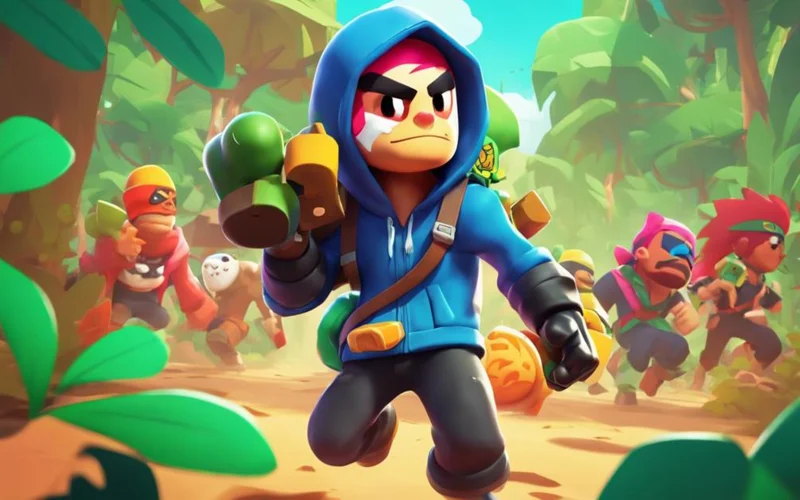
Running Brawl Stars on PC through an Android emulator is one of the most effective ways to bypass restrictions and enjoy the game on a larger screen. BlueStacks and LDPlayer are your best options, both available for free from their official sites.
To get started, download and install your chosen emulator, then launch it and sign into the Play Store with your Google account. Search for Brawl Stars, install it, and launch it directly from the emulator’s homepage.
Download and install your chosen emulator, sign into the Play Store, and search for Brawl Stars to get started.
LDPlayer stands out for competitive play since it reduces latency and overheating while supporting high frame rates. BlueStacks requires Windows 7+, 2GB RAM, and 5GB of storage space.
Once you’re in, customize your controls by mapping keyboard and mouse inputs for precise aiming and movement. You can also adjust resolution and FPS settings to match your PC’s capabilities, ensuring smooth, uninterrupted gameplay regardless of your hardware.
Unblocked Versions vs the Official Brawl Stars App
Not every unblocked route gives you the same game, so it helps to know exactly what changes between the official app and the workarounds covered in this guide.
- Official app (App Store or Google Play): the complete experience, with full online multiplayer, Supercell ID account sync, seasonal events, Brawl Pass rewards, and every new brawler and skin on release day.
- Cloud gaming and emulators: these run the same official version on remote servers or on your PC, so nothing is missing. Your account, trophies, and purchases work exactly as they would on a phone or tablet.
- HTML5 clones and simulators: fan-made versions hosted on unblocked games portals. They load fast and need no account, but they lack real multiplayer, saved progression, and current content, and they receive no updates from Supercell.
The practical takeaway: if your progress matters to you, stick with cloud streaming or an emulator, since both keep you on the genuine game. Save the clone sites for moments when you just want a few minutes of fun without logging in.
Choose the Right Unblocked Method for Your Device
Your best unblocked method depends entirely on your device and where you’re playing. On a Chromebook, Google Play installation is your safest bet, while mobile users should lean toward a VPN or mobile hotspot to dodge school or work filters. If you’re prioritizing low risk over convenience, skip proxy servers and stick with methods that don’t compromise your connection speed or game features.
Methods by Device Type
Whether you’re on Android, iOS, PC, or Chromebook, the right unblocking method depends entirely on your device. Each platform has specific tools and workarounds that actually work without compromising your security.
- Android & iOS: Switch to mobile data to bypass Wi-Fi restrictions, then use a VPN to mask your connection. Tools like Tenorshare 4uKey remove Screen Time or MDM locks blocking app access.
- PC: Install BlueStacks, LDPlayer, or MEmu to run Brawl Stars through an Android emulator. Apply ExitLag for optimized ping and smoother gameplay.
- Chromebook: Enable Google Play Store in settings if your device supports Android apps. Note that ChromeOS Flex doesn’t support Android apps, so use screen mirroring or cloud gaming instead.
School vs. Work Options
School and work networks block Brawl Stars differently, so the method that works in one environment can fail completely in the other. At school, your safest option is mobile data on your personal phone, which bypasses Wi-Fi filters entirely. If you’re on a school Chromebook, browser-based emulators or unblocked portals are your next best choice since direct installs aren’t always possible.
At work, corporate networks use deep packet inspection, so basic proxies won’t cut it. A VPN routed through BlueStacks or LDPlayer works on office laptops if IT doesn’t manage your device. Cloud streaming via a browser tab is your fallback when nothing else installs.
Both environments carry account ban risks, but work monitoring is more aggressive, so weigh that before choosing your method.
Best Low-Risk Choices
Most methods for unblocking Brawl Stars carry some level of risk, but a few stand out as genuinely low-risk depending on your device.
- VPNs: Use reputable providers like UFO VPN or FineVPN with WireGuard protocol. They mask your IP, minimize ping drops, and work on Chromebooks and PCs.
- Emulators: BlueStacks or LDPlayer run the full Android version on PCs. Allocate 4GB RAM, enable VT in BIOS, and avoid pirated APKs to stay safe.
- Cloud Gaming: Bypasses local restrictions entirely by running Brawl Stars remotely. It’s ideal for low-spec school devices, though you’ll need a stable connection.
Avoid proxy sites if you’re protecting your account they’re unstable and often loaded with unsafe scripts.
Risks of Playing Brawl Stars Unblocked and How to Stay Safe
Unblocked methods are effective, but they aren’t all equally safe, and knowing the risks up front protects both your device and your account.
The biggest danger comes from modded APKs and private servers. These modified clients violate Supercell’s Terms of Service, can carry malware, and put your main account at risk of a permanent ban if you link it. Stick to the official game through legitimate emulators like BlueStacks or LDPlayer downloaded from their official websites, never from third-party mirrors.
Phishing is the second threat. Some clone sites imitate the real game and then ask for your Supercell ID credentials. No browser clone ever needs your login, so treat any credential request on an unblocked portal as a red flag and close the tab.
Finally, weigh the everyday risks: ad-heavy portals can run unsafe scripts, free VPNs with no reputation may log or sell your traffic, and playing on a monitored school or work network can violate acceptable use policies even when the method itself is harmless. Choose reputable tools, keep your antivirus active, and save serious sessions for your own connection.
Avoid Getting Caught Playing Brawl Stars at School
Playing Brawl Stars at school without getting caught requires some smart habits. First, use community-maintained sites like Unblocked Games 76 instead of random portals. These are regularly updated to stay ahead of school blocklists. Check user reviews before visiting any site to avoid ad-heavy pages that trigger network alerts.
Never log into your main Brawl Stars account on school networks. Stick to simulators and box openers that don’t require account credentials. This protects your progress and keeps your activity anonymous.
If you’re using a VPN, connect to low-traffic servers to reduce matchmaking visibility and minimize unusual traffic patterns that network admins might flag. Choose fast-response proxy sites that haven’t been added to updated blocklists yet.
Keep your volume muted, use headphones when possible, and opt for browser-based versions that don’t require downloads, since installation activity is easier for IT staff to detect.
Troubleshooting Common Issues With Unblocked Brawl Stars
Even with the right method, unblocked sessions occasionally hit snags. These fixes solve the problems players run into most often.
- Lag or high ping: pick the cloud server or VPN location closest to you, close extra browser tabs, and move nearer to your Wi-Fi source. Tools like ExitLag help stabilize your connection during peak hours.
- Cloud session ends abruptly: free tiers have daily limits, such as the six hours Easyfun.gg provides. Switching to another platform like Now.gg or CloudMoon lets you keep playing, and incognito mode helps avoid session timeouts on shared devices.
- The platform itself gets blocked: school filters eventually catch popular cloud sites. Rotate to an alternative platform, or fall back on mobile data until the block clears.
- Login problems: if a cloud platform won’t sync your Supercell ID, play in guest mode for that session. Your main account stays safe, and you avoid triggering security checks from an unfamiliar server location.
- Controls not responding: remap your keys in the platform’s settings. Most cloud services and emulators let you rebuild the W/A/S/D layout or adjust sensitivity for smoother aiming.
If nothing works, restart with a different method entirely. A connection that fails through a proxy will often run perfectly through cloud streaming or a fresh VPN server.
Frequently Asked Questions
Can I Play Brawl Stars Unblocked on an iPhone or iPad?
Yes, you can play Brawl Stars unblocked on your iPhone or iPad. You’ll need iOS 14.0 or later, and you can bypass MDM restrictions using Tenorshare 4uKey or access it through browser-based platforms like Cloudmoon.
Does Playing Brawl Stars Unblocked Affect My Progress or Account?
Playing Brawl Stars unblocked won’t affect your progress or account. As long as you’re using a legitimate client, your data syncs server-side, so your trophies, brawler upgrades, and rewards remain fully intact.
Are There Any Free VPNS That Work Well for Brawl Stars?
Yes, free VPNs like Proton VPN work well for Brawl Stars. You’ll get unlimited data, AES-256 encryption, and stable ping rates around 92ms, making it a reliable choice for uninterrupted gaming sessions.
Will Unblocked Brawl Stars Methods Still Work After 2026?
You’ll likely find that most unblocked methods continue working past 2026, since no patches targeting school or work network bypasses are confirmed. Stick to daily quests and Brawl Pass for reliable, restriction-free progression regardless of network changes.
Can Two People Play Brawl Stars Together on Unblocked Platforms?
Yes, you can play Brawl Stars together on unblocked platforms using cloud emulators or streaming sites. You’ll each need separate accounts, but you can team up in friendly battles or 3v3 modes.
Is It Legal to Play Brawl Stars Unblocked?
Yes, playing Brawl Stars through a VPN, cloud platform, or emulator is legal and doesn’t break the game’s Terms of Service. The real risk is disciplinary, since bypassing filters can violate your school or workplace acceptable use policy.
Can I Play Brawl Stars Unblocked Without Downloading Anything?
Yes, cloud gaming platforms like Now.gg, Easyfun.gg, and CloudMoon stream the game straight to your browser with no downloads or installations. This makes them the best option for Chromebooks, tablets, and locked-down school devices.
Conclusion
Now you’ve got everything you need to play Brawl Stars unblocked, whether you’re sneaking in a match between classes or during a slow workday. Pick the method that fits your device and situation browser play, a VPN, cloud gaming, or an emulator. Just remember to stay smart about when and where you’re playing so you don’t get caught. Stay low, play smart, and keep brawling.
